Everyday tracking
Core features, free
Record, review and take your data with you.
- Projects, manual entries, history and summaries
- Mac menu-bar entry and timers
- CSV, JSON backups and one-page PDF summaries
- Basic iCloud sync (in testing)
 TimeTallyEvery moment adds up.
Choose a project and record your time. Whether you’re writing code, refining a design or doing research, keep a clear account of the work behind each day.
Mac & iPhone · English / Simplified Chinese
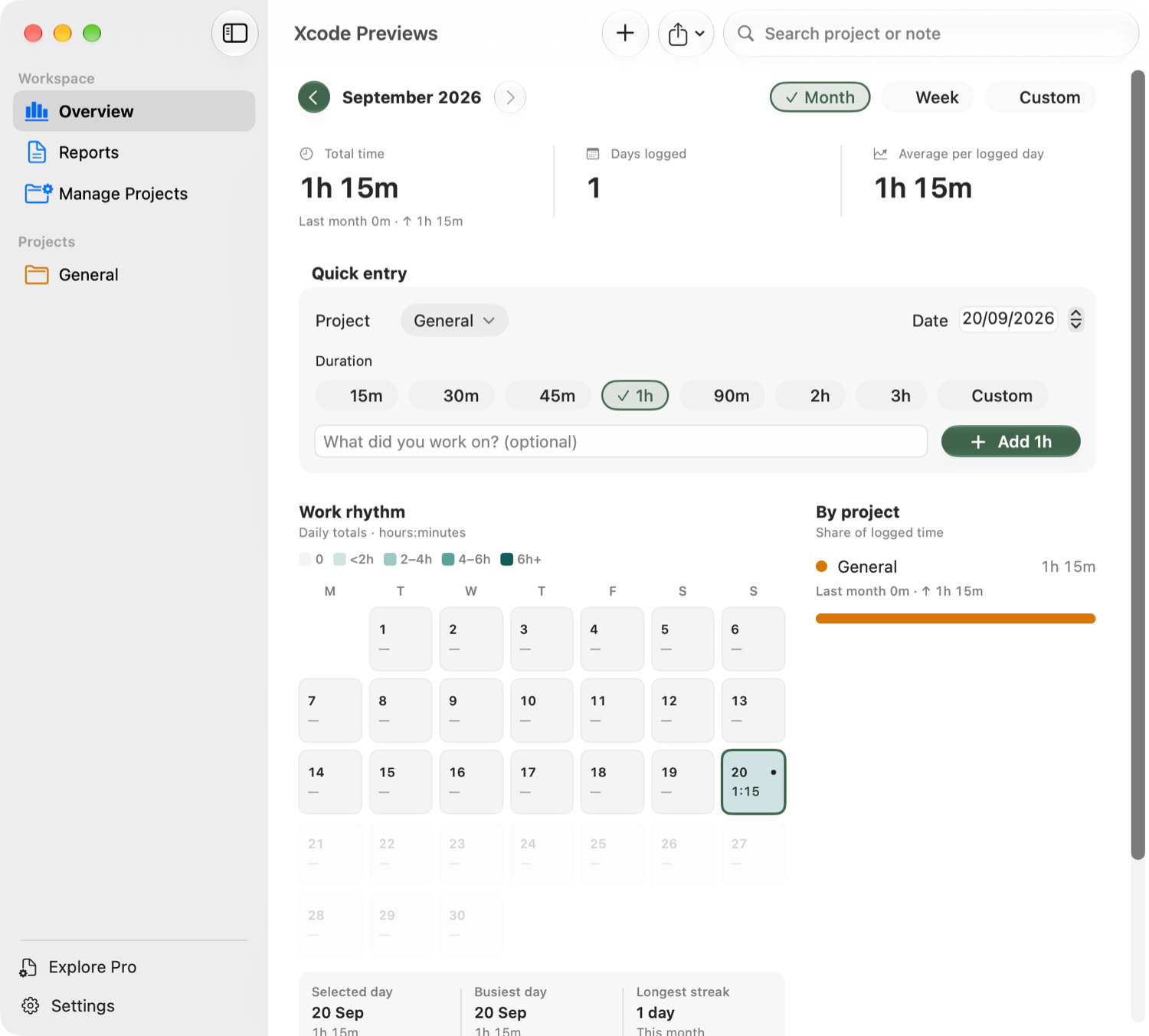
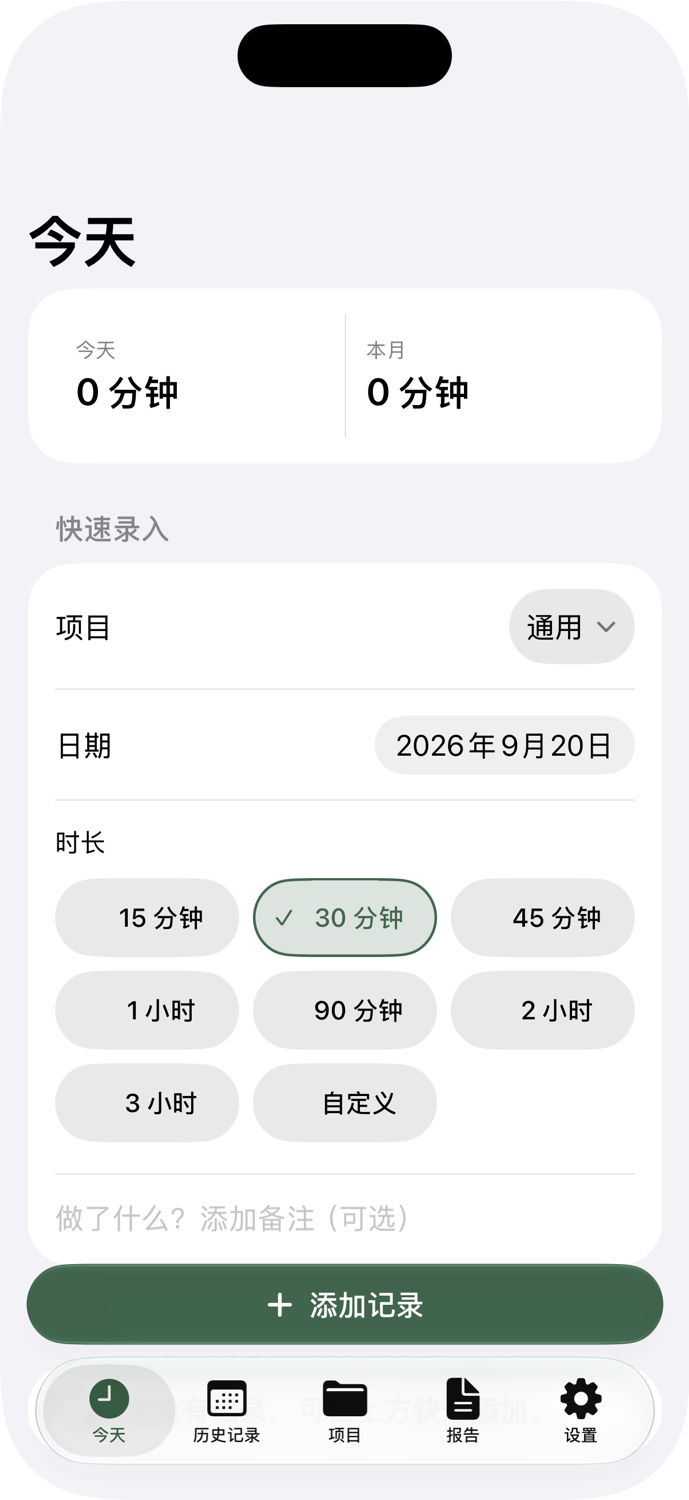
Review your work on Mac and add an entry on iPhone. The same entry flow and familiar system controls help you find your way on either screen.
Give this piece of work a home. Change the date whenever you need to add time from an earlier day.
Choose a preset or enter hours and minutes. A tick and outline make your current selection clear.
Notes are optional. Add the entry when you’re ready; you can edit or delete it in your history later.
Add time or start a timer from the Mac menu bar. On iPhone, Today keeps manual entry close at hand. Light and dark appearances, larger text, date controls and the keyboard follow the system.
Basic iCloud sync is free. In builds that support sync, sign in to the same iCloud account and enable it on both devices to exchange projects and saved entries, including edits and deletions. Offline changes stay on your device until you reconnect.
Active timers, reminders, favourites and report templates stay on each device. Changes are exchanged while the app is in the foreground. Sync does not hand off a running timer or replace a backup.
Basic two-way sync has passed development testing on Mac and iPhone. Public beta sync and failure scenarios are still being validated.
Read about sync and backupsRecord your time, then review it by date and project. Preview a detailed report before deciding whether the upgrade fits your work.
Core features, free
Record, review and take your data with you.
Planned one-time purchase · No subscription
Turn confirmed entries into a complete report.
Pro is being configured for release and is not yet available to buy. The App Store will show your local price before purchase. Purchase restoration and work-data sync are separate.
No. Entries come from durations you add, or a timer you start and confirm on Mac. TimeTally does not monitor what you do in other apps.
No TimeTally account is required. Records are saved on your device first. Projects and saved entries are uploaded to your private iCloud database only when you enable sync.
Yes. CSV, JSON backups and one-page PDF summaries are free. Pro adds complete detailed PDF export and a saved local report template. Your everyday recording and basic exports remain available.
Both share projects, work entries and reports. Mac also offers menu-bar entry and timers; the current iPhone version focuses on manual entry. Report templates and running timers do not sync through iCloud.
The first macOS TestFlight beta is not open yet. iPhone testing is also under way. We’ll add an invitation here when it is ready.
Current development builds require macOS 27 or later, or iOS / iPadOS 26 or later. Screenshots show development previews, not a released app. The full iPad experience still needs validation.